| Time Keeper II | Keeping time with TI | - | - | - |
| 1st Edition AD&D | - | Dragon #49 | - | Dragon magazine |
Tick... tock... tick.. tock. This
month's topic is... time. Actually,
this month's column comes about from the
response from
the "Time
Keeper" program in DRAGON #41. With the help of
Don Wells, Jim Holtz, and Dr. James Weisenbach,
The Electric
Eye presents "Sons of Time Keeper."
Time
Keeper II
The second version of the Time Keeper program
is
listed below. The program is largely
unchanged from its original
version, with the exception of the time
input section. Instead of
the time incrementing only by the turn,
this new version accepts
turns, segments, and rounds.
Conversion from the original version to
the new version of the
program begins with the deletion of all
statements through line
40. As you can see from the listing
here, the new version just
barely fits in, using line numbers sequenced
by 2s. If you
have a line renumbering program, you may
want to resequence
the line numbers to accomodate further
revisions.
Lines 1 through 7 introduce the program
and ask for a starting
time for the program's "clock." Remember
to put a comma
between the hours and minutes as you type
this in. Lines 9
through 29 ask for the increment of time
desired (by segment,
round, or turn) and update the "clock."
Note than an INKEY$ or
GET$ (depending on computer) could be substituted
for the
INPUT in line 11. After printing
the updated clock in line 33, the
program checks to see if it's time to "roll"
for a wandering
monster (lines 35 to 43). From there
the program merges into its
original version. Thanks to Jim Holz,
of Millington, Tenn., for
this updated version.
Several other comments on "Time Keeper"
were submitted by
Don Welts of Southfield, Mich. Don
said, in part, that line 160
doesn't produce the right kind of random
number distribution.
Sure enough, I made a boo-boo. Line
160 of "Time Keeper II"
corrects the bug (it was originally R=RND(12)).
Don also wrote "I found it interesting that
(you) do not use the
uncertain reaction. (Your) Monsters
are quick judges of character!"
I pondered this myself as I was writing
the original version
of "Time Keeper." The Basic D&D
manual says "Uncertain,
roll
again" (emphasis added). But
the DMG just says
"Uncertain" This new version of the
program reflects the
DMG view.
It is, of course, up to the individual on which to use.
For the record, my monsters are
quick judges of character. The
players I'm currently DMing for (all beginners)
find it easier to
play that way. As they become more
experienced players, I may
change things a bit.
1 CLS: PRINT MONSTER (LEV. 1-3) / TIME
KEEPING PROGRAM"
3 PRINT: PRINT "ENTER TIME OF DAY FOR ADVENTURE
BASED ON 24 HOUR CLOCK"
5 PRINT: INPUT "ENTER AS HOUR (1-24), MINUTES
(1-59) - USE
COMMA": HH, TM
7 IF HH > 25 OR TM > 59 THEN 1
9 PRINT: PRINT "PRESS ONE OF THE FOLLOWING
FOR TIME
KEEPING..."
11 INPUT "S = (1 SEGMENT), R = (1 ROUND),
T = (1 TURN)": A1$
13 IF A1$ = "S" OR A1$ = "R" OR A1$ = "T"
THEN 15 ELSE 13
15 T1 = 0: T2 = 0: T3 = 0
17 IF A1$ = "S" THEN T1 = 6 ELSE 21
19 SC = SC + T1: IF SC = 60 THEN SC = 0:
TM = TM +1
21 IF A1$ = "R" THEN T2 = 1 ELSE 25
23 MI = MI + T2
25 IF A1$ = "T" THEN T3 = 10: TM = TM +
T3
27 IF (TM + MI) > = 60 THEN TM = TM - 60:
HH = HH + 1
29 IF HH > 23 THEN HH = 0
33 PRINT: PRINT "TIME IN ADVENTURE ";HH;":";(TM
+ MI);".
";SC: PRINT
35 IF (TM + MI) > 29 AND (TM+MI) < 40
THEN Y = Y + 1
37 IF (TM + MI) > 0 AND (TM + MI) <
10 THEN Y = Y + 1
39 IF (TM + MI) > 10 AND (TM + MI) <
30 THEN Y = 0
41 IF (TM + MI) > 39 THEN Y = 0
43 IF Y = 1 THEN 50 ELSE 11
50 M = RND(6): IF M < 6 THEN 11
60 PRINT: INPUT "LEVEL BELOW SURFACE";L:
RESTORE: P =
RND(12)
70 PRINT: ON L GOTO 1000, 2000, 3000
80 Q = RND(12): FOR I = 1 TO Q: READ M$,N,T,H,A,C,D,S:
NEXT I
90 B = RND(N)*T
100 PRINT M$: PRINT "NUMBER APPEARING:";B
110 PRINT "HIT POINTS:";: FOR I = 1 TO
B: PRINT RND(H) + A;:
NEXT I: PRINT
120 PRINT "ARMOR CLASS:";C
130 PRINT "MAX. HIT DAMAGE:";D
140 IF S = 0 THEN 9
150 PRINT "INTELLIGENT MONSTER REACTION:";
160 R = RND(6)*2
170 IF R = 2 THEN PRINT "ATTACKS IMMEDIATELY!":
GOTO 9
180 IF R < 6 THEN PRINT "HOSTILE REACTION":
GOTO 9
190 IF R < 9 THEN PRINT "UNCERTAIN":
GOTO 9
200 IF R < 12 THEN PRINT "FRIENDLY":
GOTO 9
210 IF R = 12 THEN PRlNT "VOLUNTEERS HELP":
GOTO 9
220 END
1000 IF P < 9 THEN 80
1010 IF P = 12 THEN FOR I = 1 TO 192: READ
A$: NEXT I:
GOTO 80
1020 FOR I = 1 TO 96: READ A$: NEXT I:
GOTO 80
2000 IF P < 4 THEN 80
2010 IF P < 10 THEN FOR I = 1 TO 96:
READ A$: NEXT I:
GOTO 80
2020 FOR I = 1 TO 192: READ A$: NEXT I:
GOTO 80
3000 IF P = 1 THEN 86
3020 FOR I = 1 TO 192: READ A$: NEXT I:
GOTO 80
4100 DATA KOBOLD,4,3,4,0,7,4,1,SEER,2,1,8,0,9,8,1
4110 DATA ORC,5,1,8,0,7,6,1,SKELETON,6,1,4,0,8,6,0
4120 DATA GIANT RAT,4,3,4,0,7,4,0,ZOMBIE,4,1,8,0,8,8,0
4130 DATA BANDIT,5,1,8,0,6,6,1,GIANT SPIDER,3,1,4,1,8,4,0
4140 DATA STIRGE,5,1,4,0,7,3,0,FOOTPAD,4,1,8,0,7,6,1
4150 DATA ELF,6,1,6,0,5,10,1,GELATINOUS
CUBE,1,1,2,4,0,8,8,0
4160 DATA HOBGOBLIN,5,4,8,1,6,8,1,GNOLLS,5,1,16,0,5,12,0
4170 DATA GIANT TOAD,6,1,12,1,7,6,0,GHOUL,4,1,12,0,6,3,0
4180 DATA WARRIOR,5,1,8,0,4,8,1,CONJURER,4,1,12,0,9,8,1
4190 DATA SHAMAN,5,1,14,0,5,8,1,ROBBER,4,1,12,0,4,8,1
4200 DATA LEPRECHAUN,4,2,4,0,8,4,1,RUST
MONSTER,1,1,
20,0,2,0,0
4210 DATA PIERCER,6,1,8,0,3,6,0,CARRION
CRAWLER,1,1,18,
1,7,00
4220 DATA BUGBEAR,4,2,18,1,5,8,0,OGRE,4,1,24,16,10,1
4230 DATA WIGHT,3,1,18,0,5,0,0,HARPY,3,1,18,0,7,4,0
4240 DATA TROLL,1,1,36,3,6,6,0,WERERAT,4,1,12,0,7,6,0
4250 DATA OCHRE JELLY,1,1,30,0,8,12,0,DWARF,6,3,8,0,4,8,1
4260 DATA WEREWOLF,2,1,24,0,5,8,0,GIANT
TICK,5,1,18,0,4,
4,0
4270 DATA GIANT SNAKE,2,1,32,0,5,10,0,SHRIEKER,4,2,24,0,7,
8,0
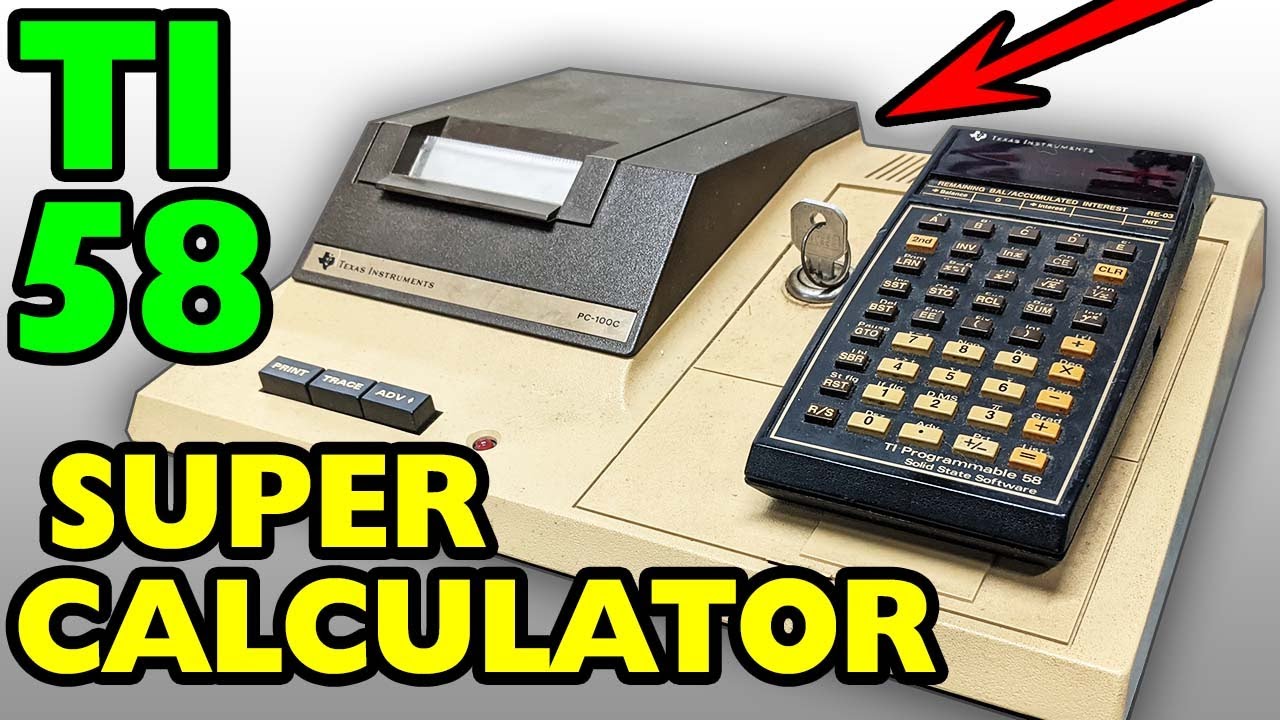
Keeping time with
TI
Dr. James Weisenbach of Shelton, Wash.,
approached the
time-keeping problem from a different angle
with a different
type of computer. The program described
below was written to
run on a Texas Instruments TI-58 programmable
calculator.
Using the "programmer-defined" keys at the
top of the calculator
keyboard, the DM has the option of incrementing
the
"clock" by 6 seconds, 1 minute, 10 minutes,
or 1 day. The
updated time is then displayed, and the
program waits for a new
entry.
The clock display is in the format DDHHMMSS
(days, hours,
minutes, seconds) so it will appear much
the same as a typical
digital clock. The program keys used are
A=10 minutes; B=1
minute; C=6 seconds and D=1 day. Each time
one of those keys
is depressed, the clock will advance that
amount of time.
The listing follows, in abbreviated key-stroke
notation:
| Lbl A | -- | STO 2 |
| 10 | RCL 10 | Op 23 |
| SUM 1 | STO 0 | Lbl B' |
| GTO E' | Op 21 | RCL 3 |
| LBl B | Lbl D' | x |
| 1 | RCL 1 | RCL 13 |
| SUM 1 | INV | + |
| GTO E' | x > = t | RCL 2 |
| Lbl C | C | = |
| 6 | -- | x |
| SUM 0 | RCL 10 | RCL 13 |
| GTO E' | STO 1 | + |
| Lbl D | Op 22 | RCL 1 |
| 1 | Lbl C | = |
| SUM 3 | RCL 12 | x |
| Lbl E' | x = t | RCL 13 |
| RCL 10 | RCL 2 | + |
| x = t | INV | RCL 0 |
| RCL 0 | x = t | = |
| INV | B' | R/S |
| x > t | -- | GTO E' |
| D' | RCL 12 | - |
Registers used: R0 = seconds; R1 = minutes;
R2 = hours; R3 =
days; R10 = 60; R11 = 1; R12 = 24; R13
= 100.
Basically, each of the units of time (registers
0-3) are
“bumped” by the functions (A-D) with roll-ever
and reset when
the respective limit registers (10-12)
have been exceeded. When
this occurs, the next higher level of time
is incremented by the
“Op” instruction. The time registers are
then merged by addition
and multiplication, and the final total
is displayed when the
routine is halted.
MAY 1981